AI room design, free from your photo
Upload a room photo. 1 free watermarked image a day, no sign-up.
This is AI room design free from one photo of your own space. Upload one photo of a room or shop. The free photo returns one watermarked concept image of the same space, with a short checklist of what changed. Walls, windows, doors, and the camera angle stay as they are in your photo.
One free photo a day gives one watermarked concept image, while the daily free budget lasts. No account needed. $19 for 45 images, one-time, no subscription.
What is free, exactly
One free photo a day gives one watermarked concept image, while the daily free budget lasts. No account needed. The free image carries the site watermark. Nothing is charged and no card is asked for.
What a pack adds
Paid runs take up to 5 photos and return up to 3 concepts per photo, without the site watermark. Each concept image costs one credit. $19 for 45 images, paid once, no subscription. Image credits come back only when an image is not produced. Running a photo again uses credits again.
AI room design free: three before-and-after examples
These pairs show what a concept looks like next to the photo it came from. The before images are real rooms shared as free-to-use photos. The after images are AI concepts made from them, and each one is stamped Concept, not to scale.
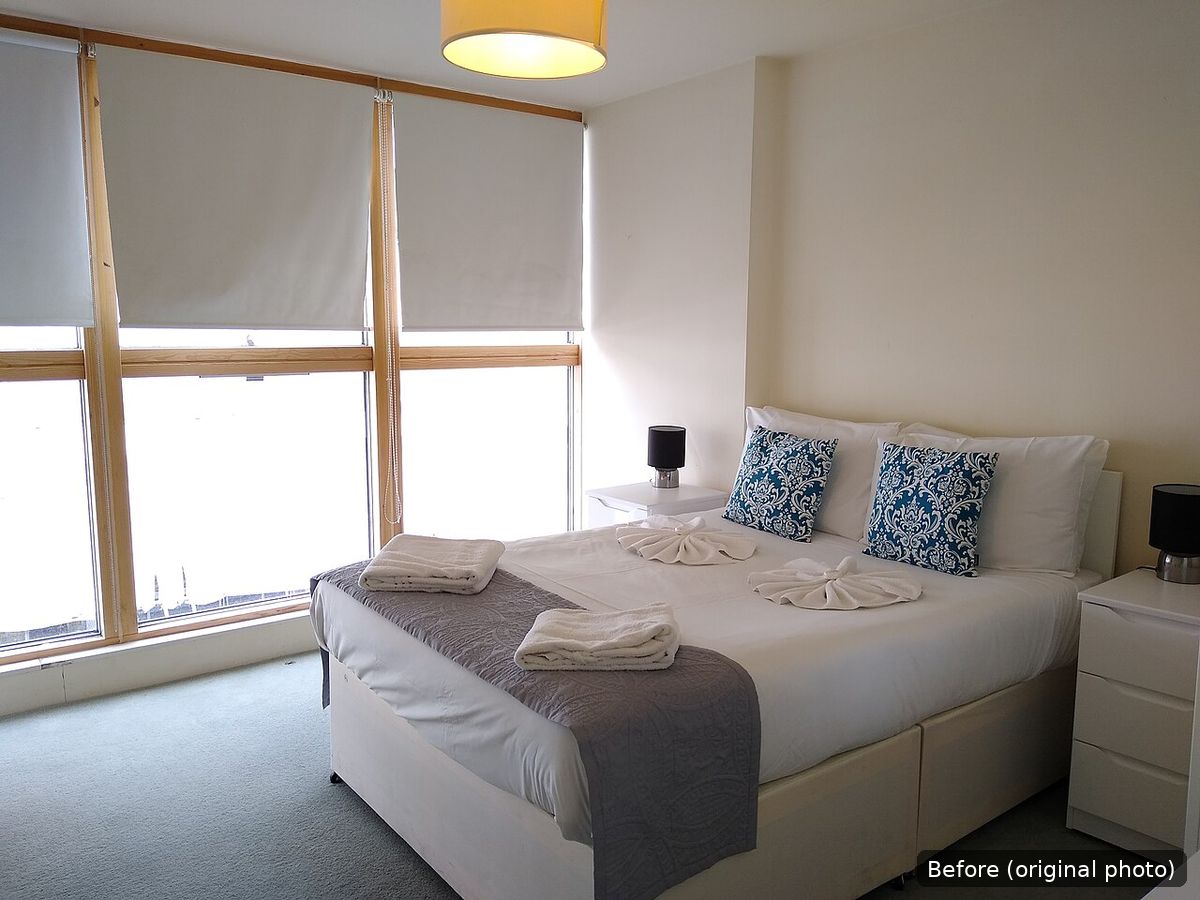
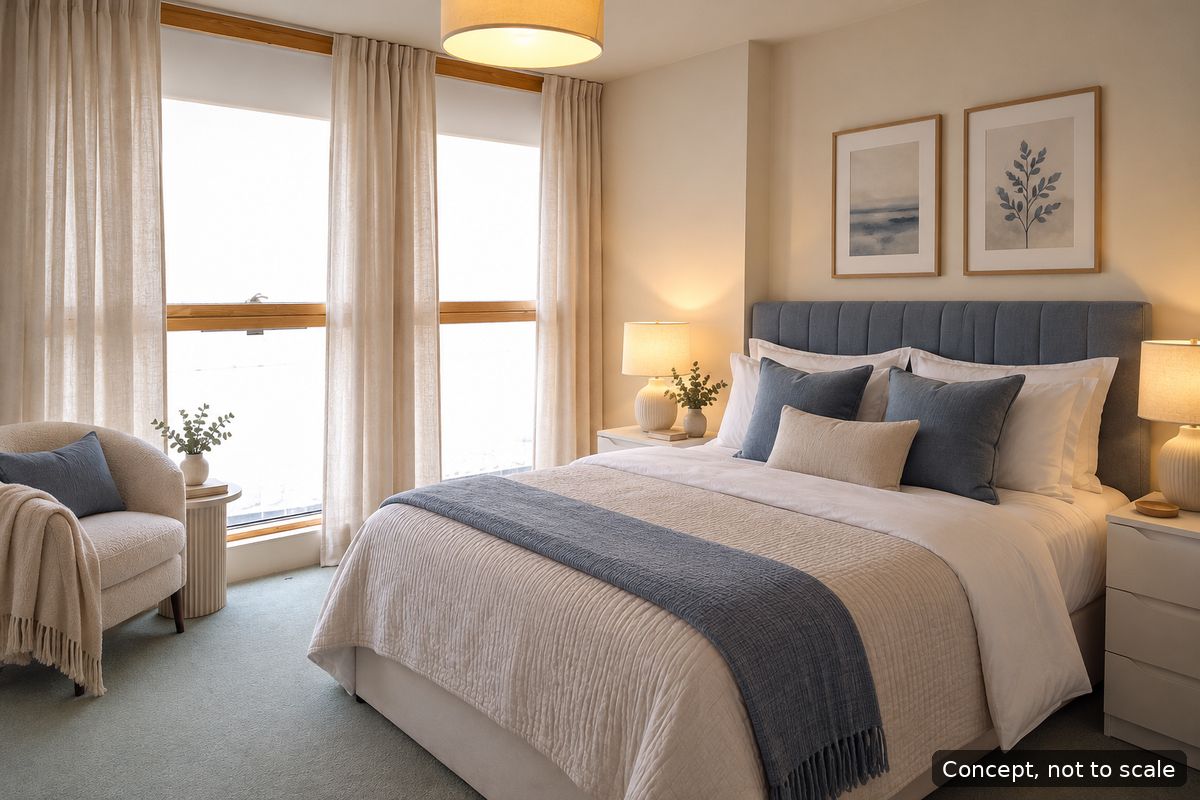
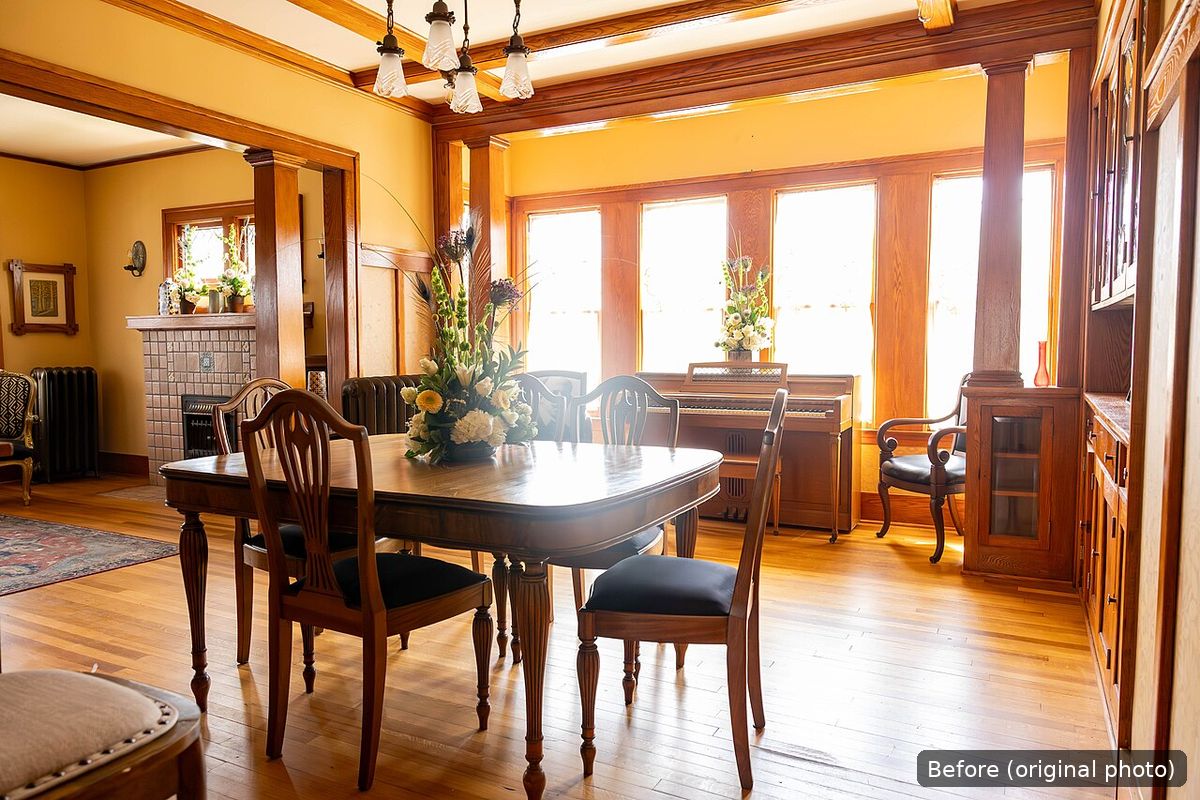
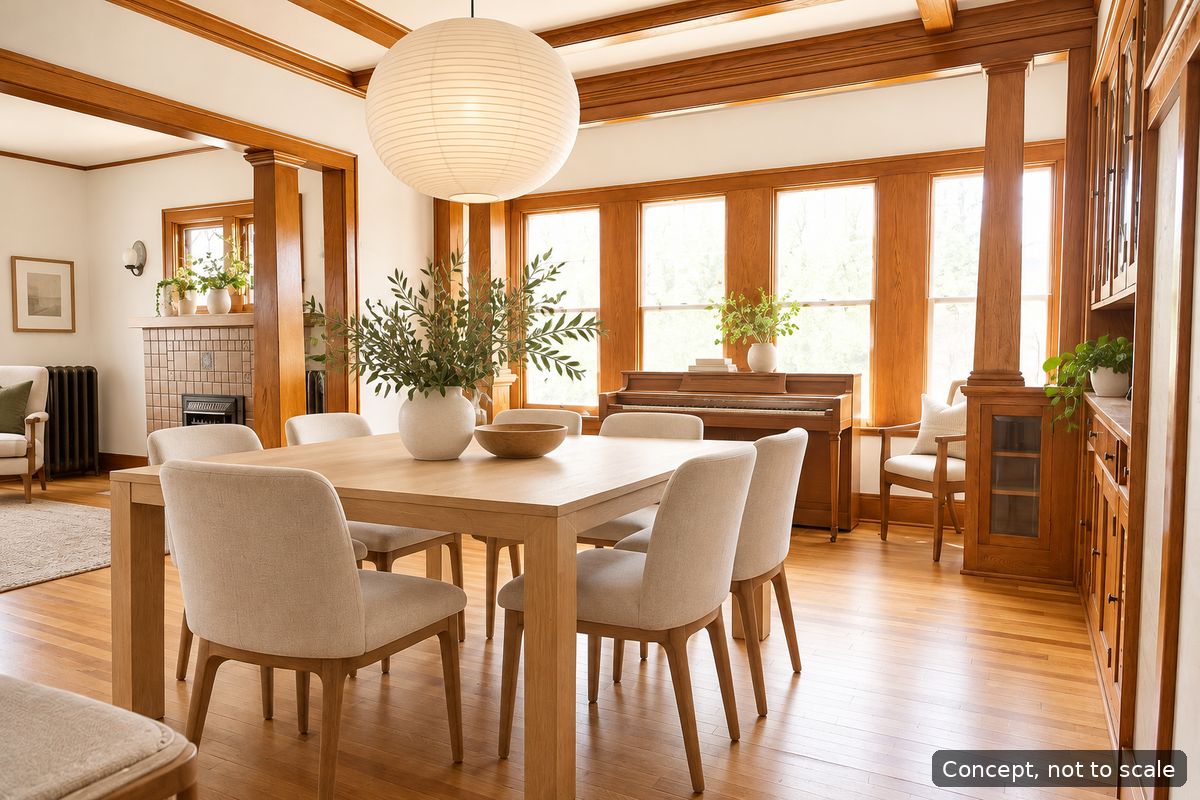
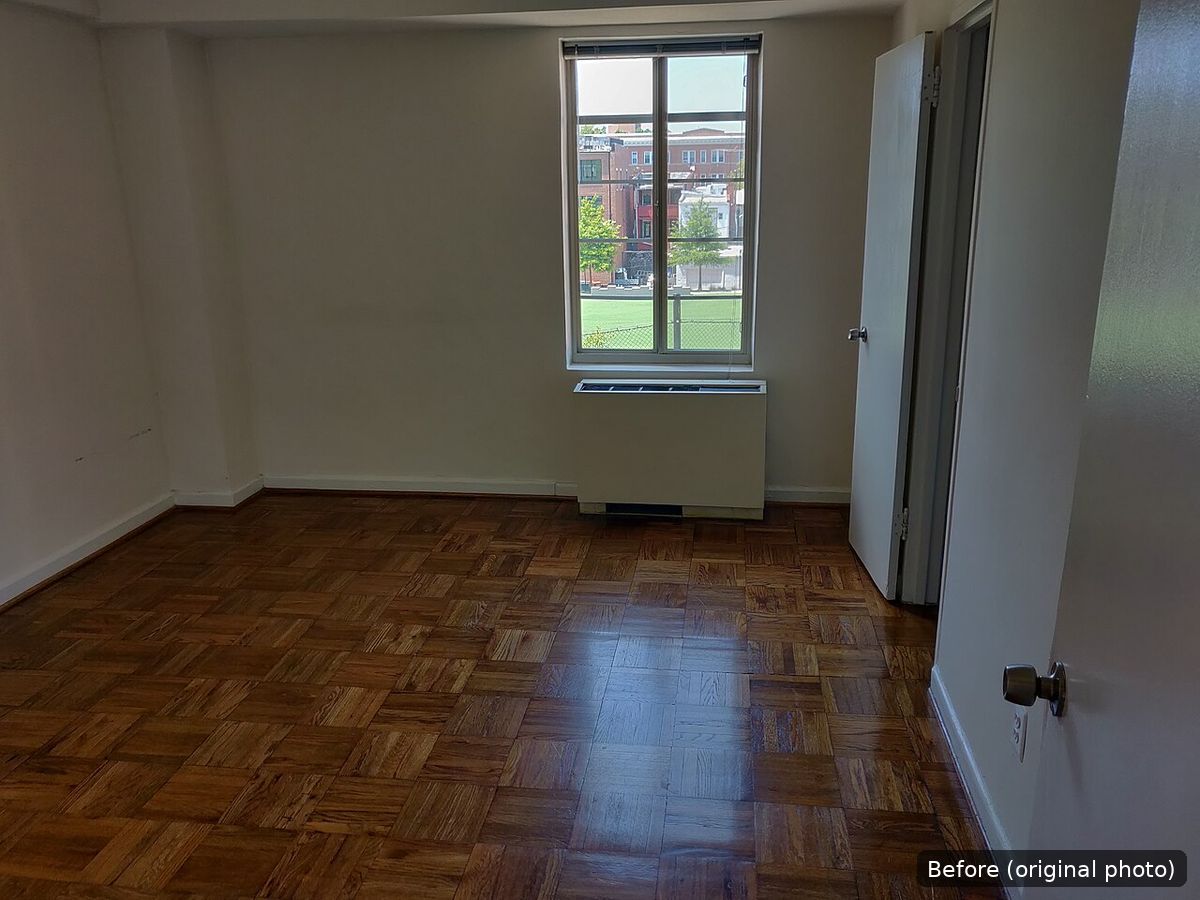
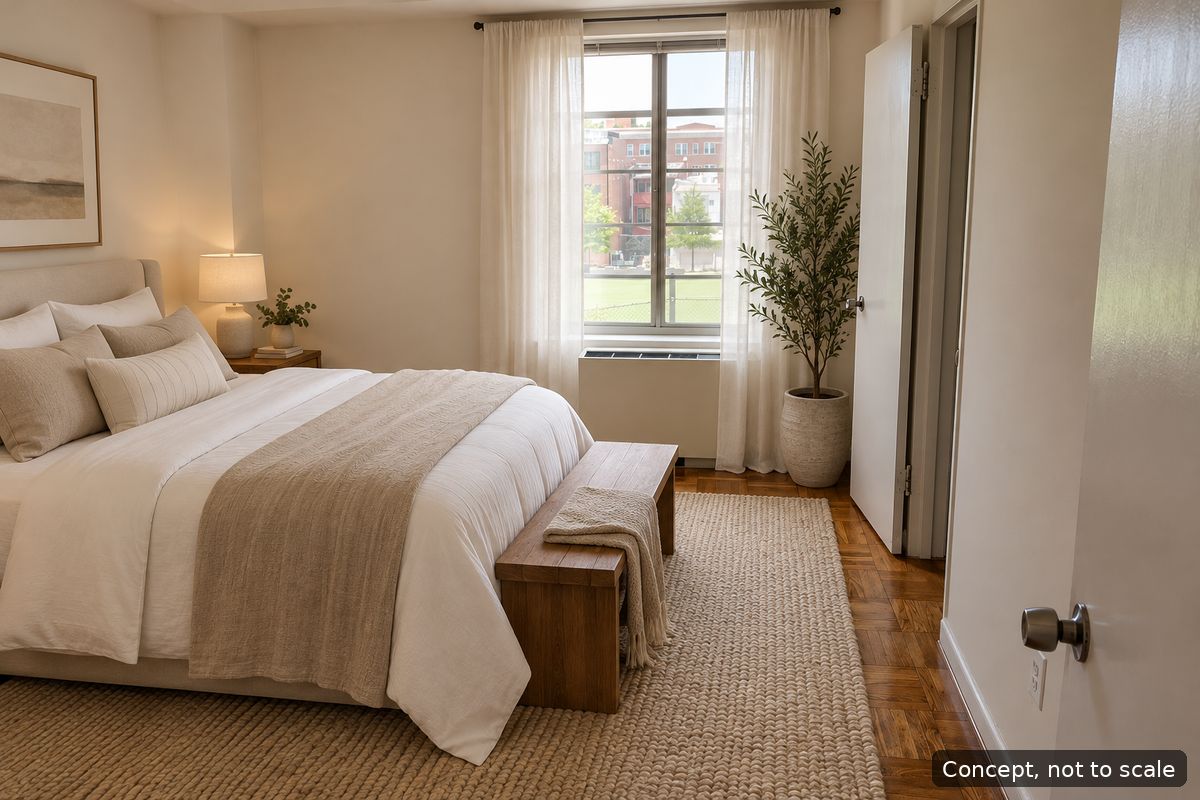
Each example keeps the windows, the doors, the floor and the camera position of the original. The first refreshes a plain bedroom with colour, fabric and lamps. The second lightens a dark, traditional dining room while keeping its woodwork. The third stages an empty room as a guest bedroom, which is useful when a bare room is hard to picture.
Read your own result the same way: first check what stayed put, then list what changed, then decide which of those changes are easy (paint, lamps, bedding, plants) and which need a tradesperson or new furniture. Sizes in a concept are approximate, so measure before you buy.
How to take a room photo that works well
The concept can only work with what the photo shows. A clear, evenly lit photo of the whole room gives a far more useful result than a dark close-up of one corner. A phone camera is fine.
- Use daylight. Shoot during the day with the curtains or blinds open, and switch on the room lights too if one side is dark. Avoid shooting straight into a bright window, which turns the rest of the room into shadow.
- Stand in a corner or a doorway and point the camera across the room, so you see two walls, the floor and the window. A photo of one flat wall gives the concept very little to work with.
- Hold the phone at about chest height and keep it level. Tilting the phone up or down makes walls lean, and the concept will copy the lean.
- Shoot in landscape (hold the phone sideways). A wide frame shows more of the room than a tall, narrow one.
- Use the normal 1x lens, not the ultra-wide 0.5x setting. Ultra-wide lenses stretch the edges of the room and bend straight lines, which makes furniture sizes in the concept less believable.
- Declutter first. Clear the floor, tidy surfaces, and move laundry, bags and cables out of shot. Anything left in the photo may be treated as part of the room.
- Keep people and pets out of the frame, and avoid photos with personal documents or screens showing private information.
- One room per photo. If you want ideas for two rooms, use two photos.
- Upload a JPEG or PNG. A sharp phone photo is plenty; there is no need for a special camera.
Getting a useful result
Shoot from a corner or a doorway, in daylight, with the whole room in frame. Pick the space type and how much to change, from a light refresh to a bigger makeover. The concept is a picture to talk through, not a measured drawing.
The space type tells the tool what kind of room it is looking at, so the checklist talks about the right things. It is optional, and the photo still leads. The slider sets how far the concept can go: towards a light refresh it changes paint, lighting and a few accessories; towards a bigger makeover it can also rework the layout and seating. If you are not sure, start near the light end, see what comes back, and go bolder next time.
What to do with your free concept
Put the concept next to your original photo and read the checklist. Pick the two or three changes you like most and check whether they fit your room, your budget and, if you rent, your tenancy. Share the pair with whoever you live with, or with a painter or fitter, so everyone is talking about the same picture.
A concept is a starting point, not a plan. It does not include measurements, quantities or prices, and it may show furniture slightly larger or smaller than your room allows. Measure the real space before you order anything.
Try AI room design free on your own room
Upload a photo with the form at the top of this page to try AI room design free on your own room. For room-by-room guidance, see AI living room design, AI kitchen design and bedroom redesign ideas. For an empty or crowded room, see virtual staging.
Redesign ideas by space
- AI kitchen design from your photo
- Small bathroom redesign ideas
- Bedroom redesign ideas
- AI living room design from your photo
- Storefront design ideas
- Small kitchen redesign ideas
- Bathroom redesign ideas
- Office redesign ideas
- Cafe design ideas
- Restaurant design ideas
- Nail salon design ideas
- Closet redesign ideas
- Garage redesign ideas
- Basement redesign ideas
- Backyard redesign ideas
More ways to use it
Questions
Is it really free?
One free photo a day gives one watermarked concept image, while the daily free budget lasts. No account needed.
Do I need an account?
No. Sign in with your email only to buy a pack or to unlock files from a free photo.
Why did it say the free photo is used up?
There is one free photo a day per visitor and per network, and the site has a daily budget for free photos. Come back the next day, or use an image pack.
When do image credits come back?
Image credits come back only when an image is not produced. Running a photo again uses credits again.
Which photo gives the best result?
A daylight photo of the whole room, taken in landscape from a corner or doorway at about chest height, with the normal 1x lens and the floor cleared.
Are the before-and-after examples real?
The before images are real rooms from free-to-use photos on Wikimedia Commons. The after images are AI concepts made from those photos and are labelled Concept, not to scale.
Does it work for shops as well as rooms?
Yes. Upload a photo of a shop, cafe, restaurant, salon or storefront and choose the space type in Options.
Image packs
One-time payment, no subscription. 1 free watermarked image a day, no sign-up. Sign in with your email at checkout. Stripe emails your receipt. Image credits come back only when an image is not produced. Running a photo again uses credits again.
- $9 for 20 images · Standard images, no watermark ·
- $19 for 45 images · Standard images, no watermark ·
- $49 for 120 images · Standard images, no watermark ·